
Staffing Agency Payroll QuickBooks Integration: 2026 Guide
Article
Manually re-keying every staffing agency invoice into QuickBooks eats an afternoon a week and buries job costing in guesswork. Set up a vendor bill workflow once — with the right classes, categories, and a recurring template — and staffing agency payroll data flows into QuickBooks Online with a few clicks instead of a spreadsheet reconciliation.
TL;DR
Staffing agency payroll quickbooks integration means vendor bills, not payroll entries — the agency is the employer of record.
Set up Sourced Staffing as a QuickBooks Online vendor with Classes or Locations for job costing by department.
Recurring Transactions and bank feed rules cut manual invoice entry to a two-minute weekly review by 2026 standards.
Direct hire placement fees post as one-time expenses; temp-to-hire invoices post as recurring weekly bills.
Why this matters
Businesses working with a staffing agency get a weekly or biweekly invoice covering temp wages, workers' comp, and the agency's markup — not a payroll run. Coding that invoice wrong, either as payroll expense or as a miscellaneous bill with no job costing, makes it impossible to see what a warehouse shift or a production line crew actually costs by department.
Sourced Staffing recommends coding every temp labor invoice as a vendor bill, never as payroll, because the staffing agency — not your business — is the employer of record. That single distinction keeps your 941 filings, state unemployment insurance, and workers' comp audit clean in 2026 and avoids double-reporting wages the agency already reports on its own payroll.
Getting this right in QuickBooks Online also gives you real job costing: you can pull a report showing exactly what temp labor cost per department, per project, or per shift, and compare it against the payroll and staffing services built for small businesses that use flat-rate billing versus markup billing.
Before you start
QuickBooks Online admin or Company Admin access — the Vendors and Chart of Accounts settings below require full admin rights, not a standard employee login.
Recent invoices from your staffing agency — you need at least one sample invoice to see how the agency breaks out wages, markup, and workers' comp so you can map categories correctly.
The gotcha: if your bank feed already auto-categorized past staffing invoices as "Payroll Expenses," reclassify those transactions before building the new workflow — otherwise your 2026 profit and loss statement mixes W-2 payroll with agency vendor spend and job costing reports come out wrong for the whole year.
Set up your staffing agency as a vendor
In QuickBooks Online, go to Get Paid & Pay (or Expenses) and click Vendors.
Click New Vendor and enter the staffing agency's name, address, and the contact email that sends invoices.
Under Additional Info, leave Track payments for 1099 unchecked — staffing agencies invoice as vendors for services, not as 1099 contractors, so this box should stay off unless your accountant tells you otherwise.
Save the vendor.
Expected result: the agency now shows up as a selectable vendor when you enter bills, and its invoice history builds automatically under Reports > Vendor Balance Detail.
Configure job costing with classes or locations
Go to Settings (gear icon) > Account and Settings > Advanced.
Under Categories, turn on Track classes and Track locations.
Set Assign classes to One to each row in transaction if temp workers get split across departments on the same invoice, or One to entire transaction if each invoice covers a single crew.
Go to Settings > All Lists > Classes and create one class per department that uses temp labor — for example, Warehouse, Production Line, or Office Support.
Expected result: every future staffing bill lets you tag line items to a class, so a Profit and Loss by Class report shows exactly what each department spent on temp labor.
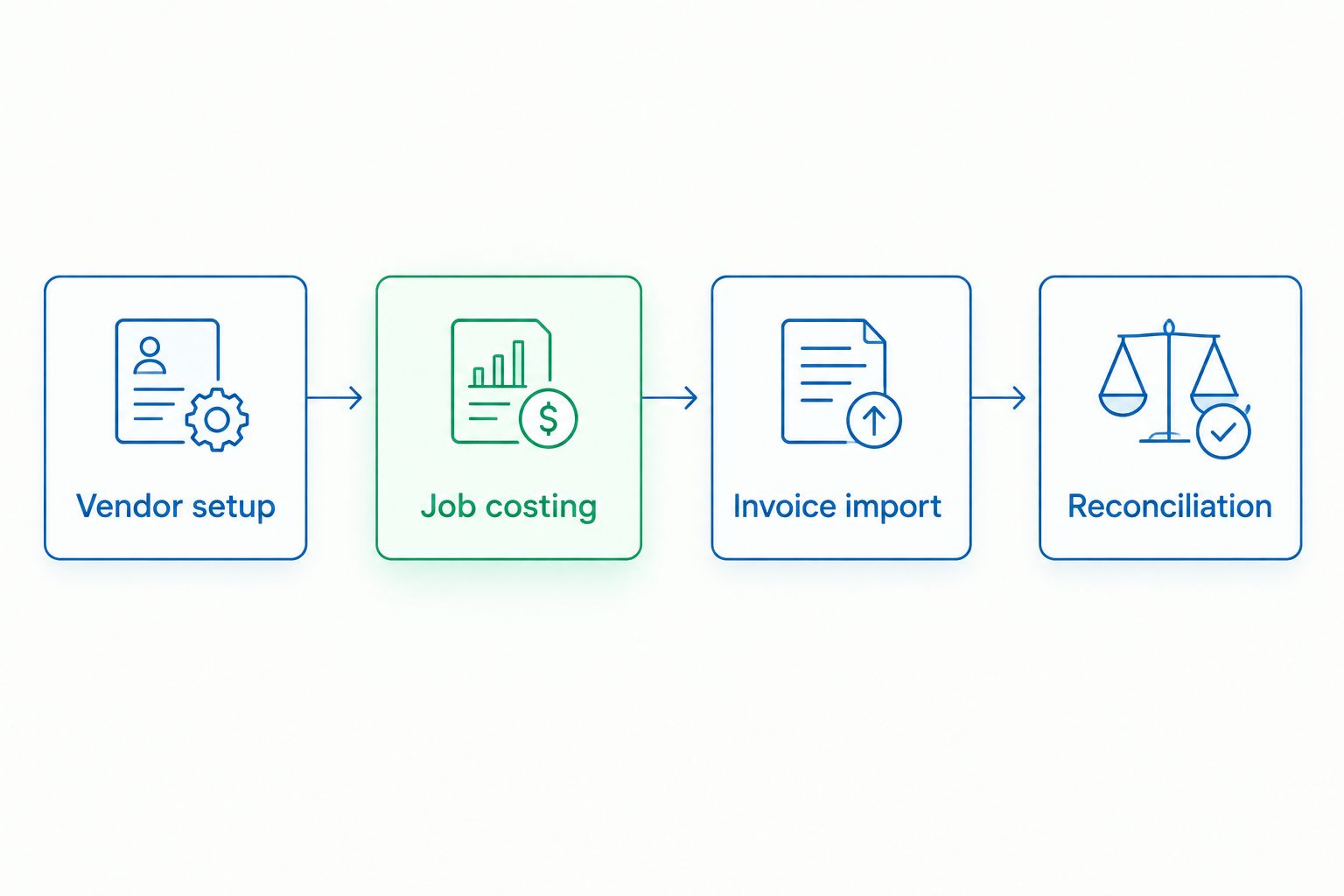
Each step only has to be built once — after that, the invoice cycle runs on autopilot.
Automate invoice import and bill payment
When the first weekly invoice arrives, go to +New > Bill.
Select the staffing agency as the vendor, enter the Bill date and Due date from the invoice.
On the Category details line, choose Contract Labor or Temp Staffing (create this account under Chart of Accounts if it doesn't exist) and assign the correct Class.
Click Make recurring at the bottom of the bill screen, set the schedule to Weekly (or match your agency's billing cycle), and name the template something identifiable like "Sourced Staffing – Weekly."
If your bank feed pulls in the payment automatically, go to Banking > Rules and create a rule that matches transactions from the agency's name to the Contract Labor category, so the bank feed and the bill match without manual review.
Expected result: QuickBooks generates next week's bill automatically from the template, and the bank feed rule reconciles the payment against it without you touching the transaction.
Direct hire fees vs. temp-to-hire invoices
A one-time direct hire placement fee behaves differently in QuickBooks than a recurring temp-to-hire payroll invoice, and mixing the two under one account line hides both.
Temp-to-hire weekly payroll
How it posts: Vendor bill, Contract Labor account
Recurring?: Yes, weekly or biweekly
Class needed?: Yes, by department
Direct hire placement fee
How it posts: Vendor bill, one-time expense account (e.g., Recruiting Fees)
Recurring?: No, single occurrence
Class needed?: Optional, by hiring manager or department
Verdict: run temp-to-hire invoices through the recurring template above; post direct hire fees as one-off bills under a separate Recruiting Fees account so a hiring cost never inflates your ongoing labor cost trend line. Businesses evaluating both paths can compare the setup for payroll and staffing services for startups, where direct hire and temp costs often get budgeted separately from day one.
Troubleshooting
Bank feed creates a duplicate transaction for a bill you already entered. Go to the Banking tab, find the duplicate, and click Match instead of Add — QuickBooks will link it to the existing bill rather than creating a second expense.
Class totals don't add up to the invoice total. Check that Assign classes is set to One to each row, not One to entire transaction — a mismatched setting silently drops line-level class data.
Contract Labor account is missing from the Category dropdown. Go to Chart of Accounts > New, set Account Type to Expenses, and Detail Type to Payroll Expenses or Job Costing, then name it Contract Labor.
Recurring bill amount is wrong every week because hours vary. Set the recurring template to Reminder instead of Automatically create transactions — this drops a draft into your to-do list each week so you can adjust the amount before posting, instead of auto-posting a stale figure.
Customize your workflow
Once the base workflow runs clean, expand class tracking to cover every department that touches temp labor, not just the highest-volume ones — light industrial and warehouse crews usually generate the most invoice volume, but office support and seasonal production lines benefit from the same job costing. Businesses layering multiple staffing needs — light industrial, production line, and seasonal hiring — often review a broader breakdown like light industrial staffing for manufacturers to decide which roles should stay temp-to-hire versus move to direct hire in 2026.
Get invoicing set up right the first time
Talk to Sourced Staffing about payroll invoicing that matches your QuickBooks setup.
FAQ
Does QuickBooks have a native staffing agency payroll integration?
QuickBooks Online does not offer a built-in, automatic connection to a staffing agency's payroll system in 2026. The reliable method is a vendor bill workflow with recurring templates and bank feed rules, which is what most staffing agency clients set up.
Should temp labor invoices post as payroll expense in QuickBooks?
No. Temp labor should post as a vendor bill under a Contract Labor or Temp Staffing expense account, not payroll, because the staffing agency is the employer of record and already reports those wages on its own payroll filings.
How do I job cost temp labor by department in QuickBooks Online?
Turn on Track classes under Account and Settings > Advanced, create one class per department, and assign a class to each line item on the staffing agency's invoice. A Profit and Loss by Class report then shows temp labor cost per department.
Can I automate recurring staffing agency invoices in QuickBooks?
Yes. Enter one bill from the agency, click Make recurring, and set the schedule to match the invoice cycle. Use Reminder mode instead of Automatically create if hours vary week to week.
Is a direct hire placement fee entered the same way as a temp payroll invoice?
No. A direct hire fee is a one-time bill best posted to a separate Recruiting Fees account, while temp-to-hire payroll invoices post recurring under Contract Labor, so the two don't blend into one labor cost trend.
Why does my QuickBooks bank feed create duplicate staffing invoice entries?
This happens when a bill is entered manually and the bank feed also pulls in the payment as a new transaction. Match the bank feed line to the existing bill instead of adding it as a new expense.
What QuickBooks account type should staffing agency invoices use?
Create an Expenses account with Detail Type set to Payroll Expenses or Job Costing, named Contract Labor or Temp Staffing, separate from your W-2 payroll accounts.
One last thing
The class tracking step is the one businesses skip because it feels optional — and it's the one that actually answers the question owners ask most: "what does this department's temp labor really cost?" Without it, a staffing agency payroll quickbooks integration is just a fancier way to pay bills; with it, you get a real cost report by 2026's first quarter close.